10 Best AI Chatbots for Business in 2026: Reviewed and Compared
-
24 Feb 2026
-
22246 Views

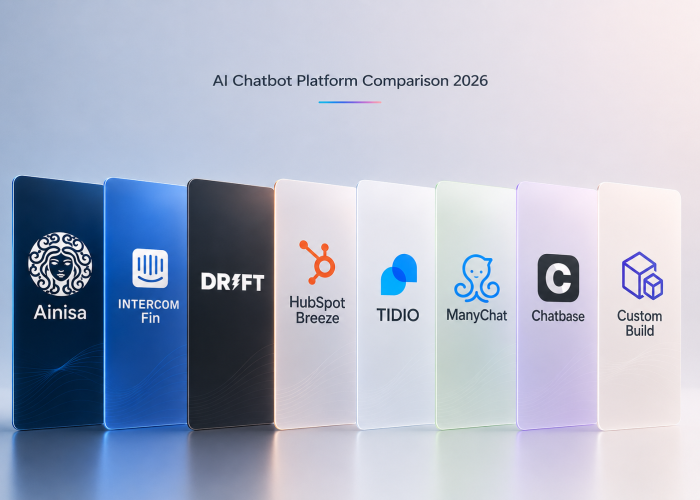
11 Best AI Chatbots for Business in 2026: Reviewed
What Is an AI Chatbot for Business?
An AI chatbot for business is a software tool that uses artificial intelligence and natural language processing to simulate human conversation — answering customer questions, qualifying leads, automating support, and taking real actions, all without a human agent in the loop.
Unlike the rule-based bots of the past, today's AI chatbots understand context, handle follow-up questions, speak multiple languages, and connect directly to your internal systems via API. They run 24/7, never miss a message, and scale without adding headcount.
For businesses of any size, the right chatbot can mean the difference between a customer who gets an instant answer and books — and one who leaves for a competitor who responded faster.
11 Best AI Chatbots for Business: TL;DR
- Ainisa — Best for Multichannel AI Agents and Business Automation
- Lindy — Best for Automating Custom Business Workflows
- ChatGPT — Best for Versatile Conversational AI
- Intercom — Best for Customer Support at Scale
- YourGPT — Best for Automating Customer Support Across Channels
- ManyChat — Best for Social Media Automation
- Tidio — Best for Small Business Live Chat + AI
- Botpress — Best for Customizable Multi-Channel Chatbots
- Chatbase — Best for Quick No-Code FAQ Chatbots
- Drift — Best for B2B Conversational Sales
- IBM Watson Assistant — Best for Enterprise AI
1. Ainisa - Best for Multichannel AI Agents and Business Automation
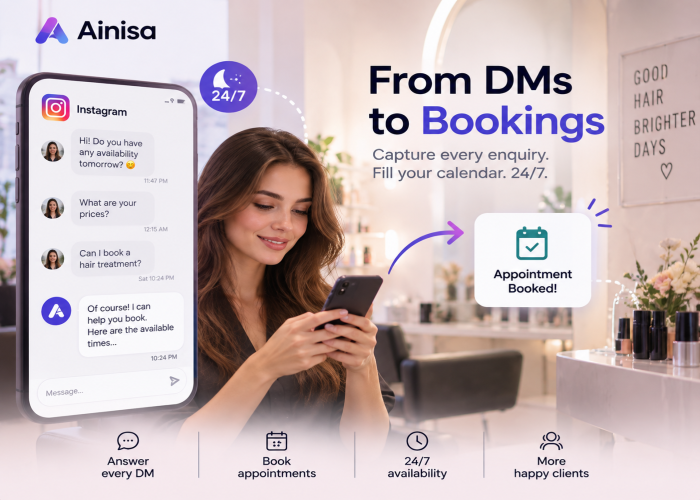
What does it do? Ainisa helps businesses deploy AI agents across WhatsApp, Instagram, Facebook Messenger, Telegram, TikTok, and their website. These agents can answer questions, capture leads, book appointments, collect customer information, and perform real business actions through integrations and APIs.
Who is it for? Service businesses, clinics, consultants, agencies, restaurants, education centers, and growing companies that want to automate customer communication across multiple channels from a single platform.
Ainisa stands out for its combination of multichannel communication, business automation, and BYOK pricing. Instead of charging a markup on every AI-generated response, Ainisa allows businesses to connect their own OpenAI or Anthropic API key. This means companies pay AI providers directly and avoid the significant markup costs commonly found in many AI chatbot platforms.
A single Ainisa agent can work across your website, WhatsApp, Instagram, Facebook Messenger, Telegram, and TikTok while sharing the same knowledge base, actions, business rules, and conversation logic. This eliminates the need to manage separate bots for each communication channel.
Agents can be trained using websites, PDFs, documents, FAQs, product catalogs, menus, policies, and other business knowledge sources. Under the hood, Ainisa uses a hybrid RAG (Retrieval-Augmented Generation) architecture that combines semantic and keyword search to deliver highly relevant responses.
Where Ainisa really differentiates itself is through Actions and Automation. Beyond answering questions, agents can collect leads, book appointments, submit forms, trigger workflows, send data to external systems, or retrieve live information through APIs. A clinic can collect appointment requests, a consultant can schedule discovery calls, a restaurant can take reservations and food orders, and an e-commerce business can check order status or send customer data directly into a CRM.
Ainisa also includes built-in lead generation tools. Businesses can collect leads conversationally, through structured Lead Form Actions, or through fully automated API Actions. Captured leads can be sent to Google Sheets, Telegram, webhooks, CRMs, internal systems, and other third-party platforms.
For businesses that still want a human touch, Ainisa supports human handover workflows, allowing conversations to be transferred to team members whenever necessary.
For agencies, Ainisa offers a white-label-ready multi-tenant architecture, making it possible to manage multiple client accounts from a single dashboard and offer AI agent services under your own brand.
Pros
- Single AI agent works across WhatsApp, Instagram, Facebook Messenger, Telegram, TikTok, and websites
- BYOK model eliminates AI markup costs - pay OpenAI or Anthropic directly
- Built-in appointment booking, lead capture, and business automation workflows
- API Actions connect agents to CRMs, internal systems, databases, and external APIs
- Lead delivery to Google Sheets, Telegram, webhooks, email, and business systems
- Hybrid RAG architecture for accurate knowledge-base responses
- Human handover support for live agent escalation
- Industry-specific use cases for clinics, dental practices, beauty salons, consultants, restaurants, and education centers
- Multilingual support out of the box
- SOC 2 aligned and GDPR compliant
Cons
- Requires your own OpenAI or Anthropic API key
- Advanced API integrations may require basic technical knowledge
Pricing
- Free plan available - bring your own API key, no credit card required
- Paid plans scale with usage
- View pricing at ainisa.com/en/pricing
2. Lindy — Best for Automating Custom Business Workflows
What does it do? Lindy builds complete AI agents that follow multi-step workflows across tools like Gmail, Slack, CRMs, and calendars.
Who is it for? Founders and small teams looking to automate internal business operations end-to-end.
Lindy goes beyond customer-facing chat. It is designed to replace manual back-office work — routing inbound leads, processing documents, booking calls, and managing inboxes — without any coding. You describe the task and Lindy builds the workflow. It supports multiple AI models (GPT, Claude, Gemini) and connects with a wide ecosystem of business tools.
Pros
- Visual workflow builder with 1,000+ prebuilt templates for real business tasks
- Handles complex multi-step automations with context-aware decisions, not just if-then rules
- Connects to 4,000+ apps — Gmail, Slack, HubSpot, Google Calendar, CRMs and more
- Supports multiple AI models — switch between GPT, Claude, and Gemini within the same workspace
- SOC 2, HIPAA, and GDPR compliant — suitable for regulated industries
- Human-in-the-loop escalation built in — routes complex tasks to team members automatically
Cons
- Credit-based pricing is unpredictable — users report burning through credits faster than expected, especially while building and testing workflows
- Free plan (400 credits/month) barely covers real usage — most useful workflows require premium actions not available on the free tier
- Steep learning curve for complex multi-step flows with branching logic
- Subscription cost ($49.99/month Pro) is considered high by some users for what it delivers at that tier
- Some complex automations are better handled by traditional workflow builders like Make.com or Zapier
Pricing
- Free: 400 credits/month
- Pro: $49.99/month
- Business: $299.99/month
3. ChatGPT — Best for Versatile Conversational AI
What does it do? ChatGPT assists with writing, research, summarization, and task automation using advanced language models.
Who is it for? Business owners who need a flexible, general-purpose AI assistant for diverse daily tasks.
ChatGPT's strength is its versatility. One moment it drafts a sales email, the next it summarizes a contract or writes a product description. GPT-4o adds multimodal capabilities — reading PDFs, processing images, and handling large documents. Features like Projects and Memory help teams stay organized across multiple clients or campaigns.
Pros
- Highly versatile across writing, analysis, coding, content generation, and planning
- Memory and Projects features help stay organized across multiple clients or campaigns
- Multimodal — handles text, images, PDFs, audio, and voice input
- GPT-5 delivers improved reasoning for complex logic and mathematical problems
- Large ecosystem with wide integration and custom GPT support
Cons
- Frequently produces confident but factually inaccurate answers — all outputs require human review
- Not purpose-built for customer-facing deployment, live chat, or multichannel support
- Free plan has daily usage limits that interrupt workflow for heavy users
- No direct customer support for free and Plus users — support tickets can take 24–48 hours
- Data privacy concerns when employees input sensitive business information — conversations may be used for model training unless opted out
- Can be overly agreeable rather than critically analytical, which affects business use quality
Pricing
- Free: GPT-4o with usage limits
- Plus: $20/month
- Team: from $25/user/month
4. Intercom — Best for Customer Support at Scale
What does it do? Intercom combines AI-powered chatbots, live chat, and a help center into a unified customer communication platform.
Who is it for? Growing businesses and SaaS companies that need to manage high volumes of support conversations efficiently.
Intercom's AI agent, Fin, resolves an average of 67% of customer queries automatically, with some teams reporting rates as high as 93%. It supports 45+ languages and integrates with Zendesk, Salesforce, and HubSpot without requiring a platform migration. When a conversation exceeds Fin's capability, handoff to live agents is seamless.
Pros
- Fin AI resolves a high share of queries automatically (67% average resolution rate)
- Seamless human handoff with full conversation context preserved
- Strong analytics, conversation tracking, and CSAT scoring
- Works with your existing helpdesk — no migration required
- Multichannel support: website, WhatsApp, email, SMS, Instagram, and more
Cons
- Resolution-based pricing ($0.99 per AI-resolved conversation) makes costs unpredictable at scale — especially for high-volume teams
- Advanced features like Copilot ($29/month) and advanced reporting are separate paid add-ons
- Pricing is too high for most small businesses, starting at $29/seat/month before usage fees
- Strong vendor lock-in — switching platforms later becomes costly and complex
Pricing
- Essential: from $29/seat/month (billed annually)
- Advanced: from $85/seat/month
- Expert: from $132/seat/month
- Fin AI charges an additional $0.99 per resolved conversation
5. YourGPT - Best for Automating Customer Support Across Channels
What does it do? YourGPT builds and deploys AI agents that handle customer support across multiple channels like WhatsApp, Instagram, Slack, email, and web without rebuilding per platform.
Who is it for? Growing teams and small businesses looking to automate customer support and reduce manual work without hiring developers.
YourGPT goes beyond single-channel chat. It's designed to replace manual support work across email, messaging apps, and web chat without coding. You describe what the AI should do, and YourGPT builds the automation. It supports multiple AI models (GPT, Claude, Gemini) and connects with business tools like Shopify, Stripe, Zendesk, and Airtable. When customers ask something the AI can't handle, it routes to your team automatically with conversation context.
Pros
- No-code builder with drag-and-drop interface. Non-technical users set it up in 30 minutes without developers.
- Handles multi-channel support in one dashboard. WhatsApp, Instagram, Slack, Discord, Telegram, email, and web all work from the same agent.
- Connects to real business tools. Shopify, Stripe, Zendesk, Airtable, and Zapier integrations work natively without extra setup.
- Supports multiple AI models. Switch between GPT, Claude, and Gemini within the same workspace based on task needs.
- Self-learning from conversations. AI improves over time from what it handles and what gets escalated.
- Human handoff built in. Routes complex questions to your team automatically with full context preserved.
Cons
- Manual knowledge base updates required. When your product information changes, you must manually refresh the AI's training data.
- Advanced features cost more. Custom branding and API access are only available on higher-tier plans.
- Set up and success depend on training quality. The AI only knows what you teach it.
Pricing
- Essential: $39/month (2 chatbots, 10M AI credits)
- Professional: $129/month (5 chatbots, 30M AI credits, AI Studio access)
- Advanced: $499/month (10 chatbots, 100M AI credits, custom branding)
6. ManyChat — Best for Social Media Automation
What does it do? ManyChat automates conversations on Instagram, Facebook Messenger, WhatsApp, SMS, and Telegram to capture leads and handle DMs at scale.
Who is it for? E-commerce brands, creators, and marketers who rely on social platforms for leads and customer engagement.
ManyChat's visual flow builder makes it easy to set up automated responses to comments, DMs, and story mentions — no coding required. It is particularly polished for Instagram and Facebook automation, and powers over 1 billion conversations per year for more than 1 million businesses worldwide.
Pros
- Best-in-class visual flow builder — intuitive even for non-technical users
- Strong Instagram and Facebook Messenger automation, official Meta Business Partner
- Supports WhatsApp, SMS, Telegram, and TikTok (beta) from one platform
- Advanced audience segmentation for targeted, personalized messaging
- Pre-built integrations with Shopify, WooCommerce, HubSpot, and Zapier
Cons
- Pricing is contact-based and scales quickly — large lists can become expensive, with costs potentially reaching hundreds per month
- You must create separate message flows per channel — no single flow deploys to all channels simultaneously
- Built-in AI is limited; AI Step requires users to follow an exact script to function correctly
- Multi-language support requires manual translation — no automatic localization
- Customer support quality receives mixed reviews from users
Pricing
- Free: 1,000 contacts, basic flows
- Pro: from $15/month (scales with contact count)
- Elite: custom pricing
7. Tidio — Best for Small Business Live Chat + AI
What does it do? Tidio combines live chat, AI chatbots, and email marketing into one platform, with native integrations for e-commerce stores.
Who is it for? Small to medium-sized businesses, especially e-commerce, that want human chat alongside AI automation without managing multiple tools.
Tidio's AI assistant, Lyro, handles common questions by learning from your FAQs and help documents, and routes complex queries to live agents. The Shopify integration is notably strong — Lyro can check order status, recommend products, and handle customer inquiries without leaving the platform. Used by over 300,000 businesses.
Pros
- All-in-one platform: live chat, AI chatbot (Lyro), and email in one place
- Fast, beginner-friendly setup — functional chatbot in minutes
- Excellent Shopify integration for e-commerce (order status, product recommendations)
- Real-time visitor tracking for proactive engagement
- Lyro supports 12+ languages
Cons
- Lyro AI is a separate paid add-on — not included in base plans
- AI capabilities are less sophisticated than dedicated AI-first platforms
- Lyro AI and custom-built chatbot flows cannot run simultaneously, which limits automation flexibility
- Conversation limits on lower-tier plans — costs can climb for higher volumes
- No native Slack integration
Pricing
- Free: 50 conversations/month
- Starter: $29/month
- Growth: from $49.17/month
- Plus: $749/month
8. Botpress — Best for Customizable Multi-Channel Chatbots
What does it do? Botpress lets you design advanced chatbots with conditional logic, memory, and multi-channel deployment using a visual builder and modular AI agents.
Who is it for? Technical teams who want full control over how their chatbot behaves and scales across platforms.
Botpress supports rich conversation flows, multilingual logic, and integrations with WhatsApp, Messenger, Microsoft Teams, Slack, and your website. Its Autonomous Node lets the AI dynamically decide which conversation path to take. Supports GPT-4, Claude, and Gemini. Over 1 million bots have been built on the platform since launch.
Pros
- Highly customizable — full control over conversation logic, branching, and AI behavior
- Autonomous Node enables adaptive, unscripted conversations without manual flow mapping
- Multiple specialized AI agents (Knowledge, Personality, Vision, Summary, Translation)
- LLM-agnostic — switch between OpenAI, Anthropic, Google, or open-source models
- Generous free tier to start
Cons
- Steep learning curve — not suitable for non-technical users or teams wanting quick deployment
- Live chat (human handoff) is only available on plans starting at $89/month
- No native Facebook or Instagram automation (no comment auto-replies)
- Must create separate chatbots per channel — no unified single-agent multichannel deployment
- Long canvas flow builder becomes difficult to manage as bot complexity grows
Pricing
- Pay-as-you-go: free tier available (500 messages/month)
- Plus: $89/month
- Team: $495/month
9. Chatbase — Best for Quick No-Code FAQ Chatbots
What does it do? Chatbase turns your website content, PDFs, or help docs into a branded AI chatbot that answers customer questions 24/7.
Who is it for? Small businesses and teams that want a fast, no-code chatbot for handling common customer questions — without complex setup.
Chatbase is the fastest path to a live AI chatbot. Upload a document, paste your FAQ page, or import a website URL — and within minutes you have a bot trained on your exact content. Deployed across website, WhatsApp, Instagram, Facebook Messenger, and Slack. Serves over 10,000 customers across 140+ countries.
Pros
- Extremely fast setup — functional chatbot live in under 10 minutes, no coding needed
- Supports WhatsApp, Instagram, Facebook Messenger, Slack, and website embed
- Supports 17+ LLMs across OpenAI, Anthropic, and Google — switch models without rebuilding
- AI Actions for triggering external events (CRM updates, data logging)
- Native human handoff and live chat support available
Cons
- Credit-based pricing makes monthly costs hard to predict as usage scales — extra credits cost $15–20 per 1,000
- No visual flow builder — works well for Q&A but lacks multi-step conversational logic
- Not suitable for complex workflows — requires external tools or workarounds for advanced automation
- Cloud-only — no self-hosting option unlike Botpress
- Custom domain and white-label branding cost $199/month extra
Pricing
- Free: 100 message credits/month, 1 agent
- Hobby: $40/month
- Standard: $150/month
- Pro: $500/month
10. Drift — Best for B2B Conversational Sales
What does it do? Drift uses conversational AI to qualify website visitors, route them to the right sales rep, and book meetings automatically.
Who is it for? B2B companies with a sales-led growth model looking to convert website traffic into qualified pipeline without manual outreach.
Drift (now part of the Salesloft ecosystem) is purpose-built for revenue teams. Its AI identifies high-intent visitors, engages them with personalized messages, qualifies them based on your criteria, and books meetings directly into your sales team's calendar. Integrates deeply with Salesforce, HubSpot, and Marketo.
Pros
- Purpose-built for B2B lead qualification and pipeline acceleration
- Meeting booking built directly into the chat flow — no forms required
- Strong CRM integrations (Salesforce, HubSpot, Marketo)
- Account-based marketing features to target high-value prospects
- Conversational landing pages turn passive pages into active lead conversations
Cons
- Very expensive — starts at $2,500/month (billed annually), making it inaccessible for small businesses
- Steep learning curve — advanced chatbot configuration can be time-consuming and overwhelming
- AI responses sometimes lack context, causing irrelevant or repetitive replies
- Multiple teams support only available on the Enterprise plan
- Users report bugs and slow performance in both web and mobile apps
- Customer support is frequently criticized in reviews
Pricing
- Premium: starts at $2,500/month (billed annually)
- Advanced and Enterprise: custom pricing
11. IBM Watson Assistant — Best for Enterprise AI
What does it do? IBM Watson Assistant delivers enterprise-grade AI conversations with deep customization, security, and integration capabilities for large organizations.
Who is it for? Large enterprises in regulated industries — banking, healthcare, insurance, government — that require security, compliance, and scale.
Watson Assistant offers robust NLP, industry-specific pre-training, and a visual conversation builder. It connects to backend systems through APIs and integrates with enterprise platforms like Salesforce, ServiceNow, and Zendesk.
Pros
- Enterprise-grade security and compliance (HIPAA, GDPR, SOC 2)
- Flexible deployment: cloud, on-premises, or hybrid — valuable for regulated industries with strict data residency requirements
- Strong NLP capabilities for extracting insights from large, unstructured datasets
- Integrates with major enterprise platforms (Salesforce, ServiceNow, Zendesk, IBM Discovery)
- "Glass box" transparency — every AI decision can be tracked and explained, supporting compliance
Cons
- Requires high level of configuration and training — very difficult for non-technical users
- Implementation is a major IT project — users report lengthy setup timelines, not quick deployment
- Does not automatically learn from interactions — requires manual retraining to improve accuracy over time
- Integration with legacy systems is challenging compared to more modern alternatives
- Pricing is complex and unpredictable — hidden costs for consultants, maintenance, and integrations inflate total cost significantly
- Overkill for small and medium-sized businesses — most suited for enterprises with dedicated technical teams
Pricing
- Lite: free (10,000 messages/month)
- Plus: from $140/month
- Enterprise: custom pricing
How to Choose the Right AI Chatbot for Your Business
With so many options, the right choice comes down to four key questions:
Where do your customers reach you? If they contact you primarily on WhatsApp, Instagram, or Telegram, you need a platform with native social channel integration — not just a website widget. Ainisa, ManyChat, and Botpress cover the widest channel range.
Do you need real API integrations or just Q&A? If your bot needs to fetch live data — order status, appointment availability, account information — you need a platform with true API Action capabilities. Ainisa and Botpress lead here. If simple FAQ answering is enough, Chatbase or Tidio will do the job faster.
What is your budget model? Most platforms charge per message, per seat, or per resolution, with AI costs built into the markup. Ainisa's BYOK model is the exception — you pay AI costs directly with no intermediary markup, which makes it significantly more cost-effective at scale.
How technical is your team? For non-technical teams that need something live in hours, Chatbase, Tidio, or ManyChat are the fastest path. For teams comfortable with APIs and workflow design, Botpress, Lindy, or Ainisa offer far more power and flexibility.
Final Thoughts
The best AI chatbot for your business in 2026 is the one that fits your channels, your integrations, and your cost structure — not just the one with the biggest marketing budget.
For businesses that need true multichannel presence with real API integrations and transparent AI pricing, Ainisa represents a genuinely different approach. For internal workflow automation, Lindy is hard to beat. For social media-first businesses, ManyChat remains the leader. For e-commerce teams wanting live chat plus AI in one place, Tidio is a strong choice. And for enterprises with strict compliance requirements, IBM Watson Assistant is still the benchmark.
Whatever your use case, the most important step is to start. Pick a tool that fits your current needs, deploy it on your highest-volume channel, and expand from there.