WhatsApp Enrollment Automation for Education Centers: 2026 Setup Guide
-
28 Sep 2026
-
1223 Views
How Education Centers Set Up WhatsApp Enrollment Automation That Actually Fills Classes (2026 Guide)
For most tutoring centers, language schools, and academies outside the US in 2026, WhatsApp is where enrollment starts. A parent sees your reel or gets a referral, opens WhatsApp at 9pm, and sends "how much is the IELTS course and when does the next group start?" — often as a voice note. If nobody answers within a few minutes, that parent has already messaged the academy down the street. The inquiry didn't disappear; it just enrolled somewhere else.
The problem isn't that centers don't want to answer WhatsApp fast — it's that the two things that matter most, answering course questions accurately and getting a trial lesson or enrollment consultation booked, are hard to automate well. Generic chatbots treat WhatsApp like a support channel and just collect names. Booking widgets drop a link in the reply and hope the parent clicks through. Both leak enrollments: the first because it never actually books anything, the second because every extra step (leave the chat, open the link, pick a slot, come back) drops conversion by 20–40%.
The right setup does both jobs inside the same WhatsApp thread: the AI answers course, price, and schedule questions from your real catalog, qualifies the inquiry (which course, which level, student age, schedule fit), and then books a trial lesson or enrollment consultation directly into the right teacher's calendar — without the parent leaving WhatsApp.
This guide walks through exactly how an education center sets this up in 2026: what to define first (course catalog, qualification questions, teacher routing, calendar), how to configure the WhatsApp AI to hold a real enrollment conversation, how to wire booking into Google Calendar or Calendly natively, how to handle minors' data safely, the boundaries the bot must not cross (no academic assessments, no guarantees), and what real 90-day results look like.
Who this guide is for
This guide is for education centers where:
- WhatsApp (and Instagram) is a top-two channel for new-student inquiries — typically because parents and students find you via reels, referrals, or search
- The center bills by course, term, or package — so a no-show trial lesson or an unqualified inquiry that eats teacher time is meaningfully expensive
- There's a definable set of courses, levels, and teachers — not a single one-size class
- Reception or the owner's time answering the same "how much / when / what level" questions is the bottleneck, not demand
This includes tutoring centers, language schools, test-prep academies (IELTS, SAT, university entrance), coding bootcamps, music and art schools, and driving schools — especially in markets where WhatsApp is the default way families message a business.
If you run a large university with an enrollment CRM and an SMS nudging platform, this guide is less relevant — evaluate university-grade platforms instead. Everyone smaller — read on.
Why WhatsApp enrollment automation is the 2026 setup
Three shifts made this a real strategy in 2026, not just a "we should try it someday" line item:
Discovery moved to reels and DMs. By 2026, the path for a new student looks like: reel or referral → WhatsApp/Instagram → question → booking. The website contact form is an afterthought. If your center can't hold a real conversation on WhatsApp and Instagram, you're losing enrollments to the center that can.
AI got good enough to actually qualify and book. Older chatbots couldn't hold a conversation about "what level is your daughter at?" — they'd hit a rule they didn't recognize and dump into "someone will contact you." In 2026, modern conversational AI on WhatsApp genuinely answers course questions from your catalog, asks the right follow-ups, and books a trial lesson — the way a good reception person would.
Calendars finally work in-thread, and parents send voice. Google Calendar and Calendly have proper APIs in 2026, so a well-configured bot can check availability and book directly in the chat. And crucially, modern AI is multi-modal: parents send voice notes ("she's in year 9 and struggling with algebra before her June exam"), photos of a report card or a timetable, sometimes a short video. Roughly a third of after-hours education inquiries now come as voice or media, not text. A text-only bot misses all of them.
Centers that set this up well book 40–60% more trial lessons and consultations in the first quarter — while freeing reception from answering the same questions dozens of times a day. Centers that don't lose the enrollments to whoever answered, qualified, and booked in one conversation.
What WhatsApp enrollment automation actually does for a center
A well-configured education center chatbot handles seven concrete jobs:
- Instant response, on brand — every new WhatsApp message gets a warm, on-brand reply within seconds, 24/7 — so the parent doesn't move on while waiting
- Course, price, and schedule Q&A — trained on your course catalog, answers "how much is the IELTS course?", "do you have Saturday classes?", "when does the next A1 German group start?" with real information — not "someone will contact you"
- Understand what they send — voice notes describing what the student needs, photos of a report card or timetable, an Instagram reel they're asking about. Multi-modal handling matters because parents don't type long messages in WhatsApp
- Qualify the inquiry — asks the right follow-ups to establish which course, which level, student age, and schedule preference, so the trial lesson or consultation is with the right teacher for the right level
- Route to the right teacher or program — matches the inquiry to the teacher, level, or branch that fits, based on the qualification answers
- Book a trial lesson or consultation in-thread — checks the teacher's Google Calendar / Calendly availability in real time, offers 2–3 slots, books when the parent confirms, and pushes the lead and booking into your own CRM or student-management system via webhook
- Human handoff when needed — complaints, complex custom requests, existing-student questions, or anything the bot can't answer confidently go straight to your team, in the same WhatsApp thread
What it does NOT do — and this is where education centers often get it wrong:
- Assess the student academically from a report card or a description ("she's clearly behind grade level")
- Guarantee outcomes ("she'll pass IELTS with a 7 after this course")
- Give teaching or diagnostic advice ("your son probably has dyslexia")
- Collect detailed academic or personal history over chat — that belongs in the in-person consultation
Cross these lines and you either mislead a parent, create a data-privacy problem with a minor's information, or make the center look like it's promising things it can't. The AI's job is answer-qualify-book. The teaching judgment stays with your teachers.
What to define before you configure anything
Skip this section and the deployment will fail — the AI has nothing to answer from, qualify against, or route to. It's a one-day exercise, then reused everywhere else.
Your course catalog, structured. Not a marketing brochure — an actual list:
- Each course, level (A1–C2, beginner/intermediate/advanced, exam-specific), and who it's for
- Duration, format (group/private, in-person/online), and schedule (which days, which times, next start date)
- Indicative pricing (or a "from" range) per course and format
- Age groups served per course (kids, teens, adults)
Your qualification questions. Three to five short questions the AI weaves into the conversation, not all at once. Example for a language school:
- "Which language and level are you looking for?"
- "Is this for you or for someone else — and roughly what age?"
- "Do you have a schedule preference — weekdays, evenings, or weekends?"
- "Are you preparing for a specific exam, or is it general?"
Your routing rules. Which teacher or program handles which course, level, age group, or branch. Even a small center routes — kids' English to one teacher, adult IELTS to another.
Your calendar setup. Each teacher (or the trial-lesson slot pool) has a working Google Calendar or Calendly link with real availability. The AI books into whichever you use — pick one and stick with it.
Your data rules for minors. Education centers handle children's data constantly, which raises the compliance bar. Decide what the bot may collect over WhatsApp (course interest, level, age band, parent contact, schedule) and what it must not (detailed academic history, health information, anything beyond what a trial-lesson booking needs). A first-message consent line covers message storage; keep it short.
Your handoff rules. Complaints (any message with "unhappy," "refund," "complaint"), existing students (recognized by phone/email against your CRM), and anything the bot can't answer confidently go straight to a human in the same thread, with an alert to the responsible person.
Once these six things are written down, the technical configuration is a few hours of work.
The 5-step setup
Here's the exact sequence an education center follows to launch working WhatsApp enrollment automation.
Step 1: Connect WhatsApp Business via a Meta Tech Provider platform
You need:
- A verified WhatsApp Business account, or WhatsApp Business API access via a provider (required for automation — the regular WhatsApp Business app doesn't support it)
- A verified Facebook Business Manager
- A Meta Tech Provider platform (like Ainisa) that handles the WhatsApp Business API integration directly
The regular WhatsApp Business app on a phone doesn't support automation. You need the WhatsApp Business API, accessed through a Meta partner. Meta Tech Provider status matters here: Business Partners (the broader category) route you through a longer verification path, while a Meta Tech Provider is on the direct integration path, so connecting takes minutes, not the day or two most centers expect. In practice: about 5 minutes to connect, and you're ready to configure.
Connect Instagram at the same time if that's where teens find you — it shares the same knowledge base.
Step 2: Train the AI on your course catalog
Upload your course catalog as a clean, structured PDF (or several — one per language for a multilingual center). The chatbot's RAG system indexes it into vector embeddings so the AI retrieves exact answers at conversation time.
Do this well:
- Use a real course list with levels, schedules, next start dates, and pricing — not a design-heavy flyer
- Separate courses by level and age group — parents ask about them differently
- Include preparation and format details (group size, online/in-person, materials) — parents ask, and the bot needs a real answer
- For multilingual centers, upload one catalog version per language
Also configure:
- Qualification questions — the 3–5 you defined, with when to ask each
- Routing rules — which teacher/program handles which combination
- Media scenarios — sample voice notes and photos parents send, and how the bot should respond (always: acknowledge + qualify + offer booking; never: assess the student or promise a result)
Common mistakes at this step:
- Uploading a marketing flyer with "pricing on request" — the bot refuses to answer price questions, which kills conversion
- Skipping schedule and next-start-date info — "when does it start?" is the most common question, and the bot needs a real answer
- Not updating when a new term or price starts — a bot trained on last term's catalog quotes wrong dates and prices
- Not testing voice notes — the bot works on text, then breaks the first time a parent sends a 60-second voice note
Step 3: Wire the AI to the calendar (Google Calendar or Calendly)
This is the piece that converts. The AI needs real-time calendar access — not "here's a link, please book," but actually checking availability and booking in-thread.
Pick one system and stick with it. Both work well in 2026:
Google Calendar (via native API): cheapest, most flexible. The AI reads each teacher's calendar (or a shared trial-lesson calendar) directly, finds slots that match your rules (working hours, buffer time, lesson length), offers 2–3 to the parent, and creates the event when confirmed.
Calendly (via API): if your center already uses Calendly for booking, use it. The AI queries Calendly for available slots per teacher's event type, books through the API, and Calendly sends the confirmations.
Whatever you pick:
- The AI must check real-time availability, not stale cached data — otherwise it books slots that no longer exist
- Buffer time and lesson length must be configurable — a 30-minute trial differs from a 60-minute assessment
- The booking must carry the full conversation context (course, level, age, notes) so the teacher walks in prepared, not blind
- Every lead and booking should fire a webhook into your own CRM or student-management system in real time, so records land where your team already works — you don't have to log into the chatbot dashboard to see them
If your booking currently goes through a form that emails someone who then sends a Calendly link, kill that entire chain. It's leaking 40–60% of your inquiries.
Step 4: Configure the conversation flow (answer + qualify + book in one thread)
This is where the AI does the work. The flow, roughly:
-
Greet warmly, ask what they're looking for. "Hi! Thanks for reaching out. What are you interested in?" — one question, no menu, no options list. Let them tell you.
-
Answer the question, then ask a qualifying question. A parent says "do you have IELTS courses?" The AI answers from the catalog (format, schedule, next start, price) and follows up: "We do — the next group starts [date]. Is this for you or someone else, and are you aiming for a specific band score?"
-
Keep qualification natural, over 3–4 exchanges. Not a form. Weave the questions in — course, level, age, schedule. Enough to book the right trial lesson with the right teacher.
-
Offer the booking. "Based on that, a trial lesson with [teacher] would be a great fit — she teaches our upper-intermediate IELTS group. She has 3 slots this week: Tuesday 6pm, Thursday 5pm, or Saturday 11am. Which works?"
-
Book in-thread and confirm. They pick Thursday 5pm. The AI books it, confirms, and (via webhook) the lead and booking land in your CRM: "Booked — you'll get a calendar invite in a moment. See you Thursday."
-
If it's not a fit, be helpful, not dismissive. A parent asking for a course you don't offer gets a warm redirect, not a dead end: "We don't run French classes, but we do German, Spanish, and English — would any of those help? If not, I'd suggest [alternative]."
-
If they ask something the bot shouldn't answer (an academic assessment, a guarantee, a complaint), hand off to a human in-thread with an alert.
Configure this at the flow level, not as separate scripts per intent. The AI holds the whole conversation using its catalog and rules — you're not scripting each turn.
Step 5: Test every language, every media type, and the safety boundaries before going live
The biggest launch mistake in education: testing only typed text, only in one language, and skipping the minors'-data and no-guarantee boundaries.
Test scenarios that catch real bugs:
Q&A and booking:
- "how much is the IELTS course?" (real price and next start date, not "DM us for prices"?)
- "do you have weekend classes for a 10-year-old?" (does it check age fit and schedule?)
- A voice note: "my daughter needs help with chemistry before her June exam" (does it transcribe, qualify, and offer a trial?)
- A photo of a report card (does it acknowledge as context without assessing the student?)
- Real-time availability across 2–3 teachers' calendars, booking with buffer time, then a cancellation
Safety and edge cases:
- "will she definitely pass the exam if she takes this course?" (declines to guarantee?)
- "here's her last report card — is she behind?" (declines academic assessment, offers a consultation instead?)
- A complaint ("we've been waiting a week for a callback") — hands off to a human?
- Existing-student question — recognizes and routes to their teacher without re-qualifying?
Multilingual (if you serve immigrant or tourist families):
- Switch language mid-conversation (does it follow?)
- Voice note in a second language (transcribes correctly?)
Only launch after every scenario passes. This is a one- to two-day test, not a step to skip. Then publish the WhatsApp number on your Instagram bio, Google Business Profile, website, and printed materials at reception — that's where the inquiries come from.
Real example: a language school in Istanbul over 90 days
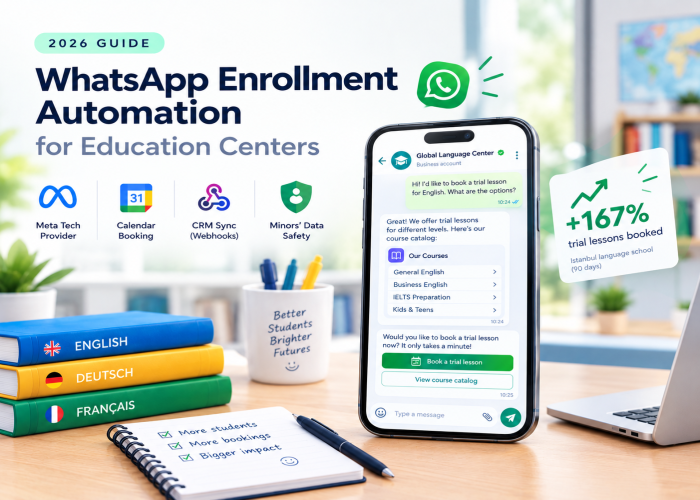
A mid-sized language school in Istanbul (English, German, and Russian courses; 8 teachers) deployed WhatsApp enrollment automation in early 2026. The setup covered course/price/schedule Q&A across 20+ courses, qualification by language, level, age, and schedule, booking directly into each teacher's Google Calendar, lead and booking sync to their CRM via webhook, and multi-modal handling in Turkish, English, Russian, and Arabic. What changed in 90 days:
- Response time to WhatsApp inquiries went from an average of 3 hours (mostly overnight and weekend backlog) to under 30 seconds
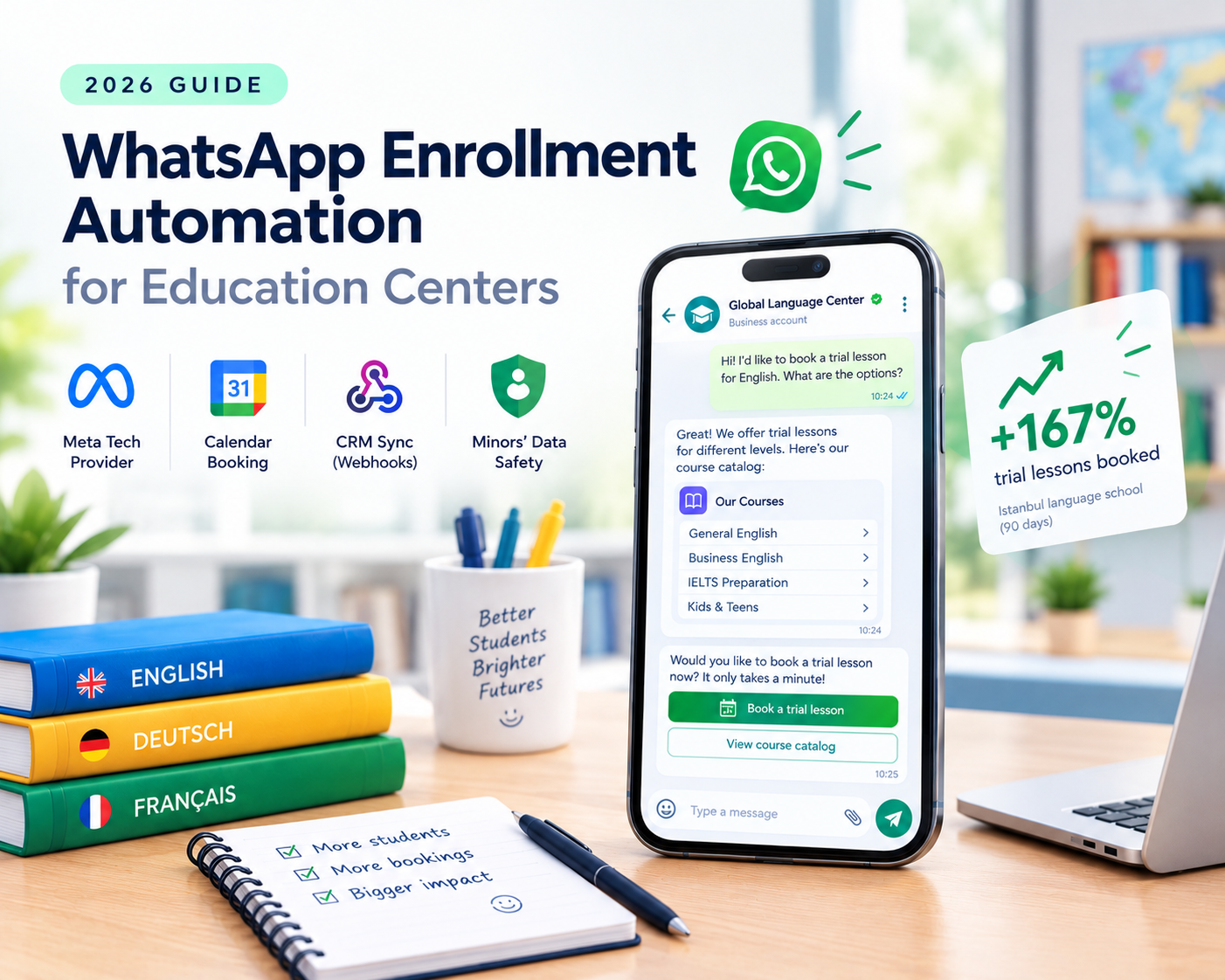
- Trial lessons booked per week went from 9 to 24 — a 167% increase, with no change in top-of-funnel activity
- After-hours bookings (10pm–8am) went from near zero to about 14 per week — parents who message after work and would otherwise have moved on
- Reception time saved answering repeat "how much / when / what level" questions: about 20 hours per week, redirected to onboarding enrolled students
- Voice notes and photos made up 34% of all new inquiries — the multi-modal handling captured them all; a text-only bot would have missed a third of inbound
- Cross-language inquiries (Russian and Arabic families) went from a "we'll figure it out" workaround to a normal booking flow, and reached 29% of bookings
- Complaints and existing-student issues were correctly handed off to a human in 100% of tested cases
Total monthly cost stayed under $80 including Meta fees. The bot paid for itself in the first two weeks on recovered after-hours bookings alone.
5 common mistakes that kill education chatbot deployments
Centers that don't get value from their chatbot almost always fall into one of these.
1. Making the bot sound like a brochure. Reading marketing copy back to a parent kills trust instantly. The tone has to match how your best reception person actually talks — warm, direct, helpful. Read the first three replies out loud. If they sound like a flyer, rewrite.
2. Letting the bot assess students or promise results. A parent sends a report card asking "is she behind?" The bot must not diagnose or guarantee ("she'll definitely pass"). It acknowledges, offers a consultation with a teacher who can properly assess, and stops there. Configure this explicitly and test it — the AI's default helpfulness will push it to over-promise otherwise.
3. Using a booking-link handoff instead of in-thread booking. "Great! Here's our Calendly, pick a time" drops 40–60% of conversion. The parent has to leave WhatsApp, open a link, remember your name, pick a slot. Half don't. In-thread booking captures them while they're still in the conversation.
4. Ignoring voice notes and Instagram. In education, a third of after-hours inquiries are voice notes, and teens discover courses on Instagram. If your bot only handles typed text on the website, you're automating the channel with the least traffic. Handle WhatsApp voice and Instagram DMs from day one.
5. Not updating the catalog each term. A bot trained on last term's schedule and prices will confidently quote wrong start dates and fees — and every wrong quote is a parent trust problem. Retrain whenever a term, schedule, or price changes.
What to look for in a platform for education WhatsApp automation
Not every chatbot platform handles this well. When evaluating, verify:
- Native WhatsApp Business API via a Meta Tech Provider (not a Zapier bridge, not a scraper). Tech Provider status means faster connection and a more direct integration path
- Instagram DMs handled natively too — teens discover courses there, and it should share the same knowledge base as WhatsApp
- Multi-modal understanding — voice notes, photos, videos — up to at least 5 minutes for voice and 60 seconds for video, in multiple languages, so real education inbound actually works
- Real-time calendar integration — native to Google Calendar and Calendly (not via Zapier), with in-thread booking, not link handoff
- Lead and booking webhooks into your own CRM or student-management system, so records land where your team works
- Configurable qualification and routing — by course, level, age, branch — plus the safety boundaries (no assessment, no guarantees)
- Multilingual support — at least 6 languages natively in the UI, with the AI conversing in many more, so a family gets a real conversation in their language, not a broken fallback
- UK GDPR / EU GDPR-ready data handling with UK or EU data residency — important with minors' data
- Human handoff inside the same WhatsApp thread, not a separate dashboard
- Live demo you can chat with — send it a voice note, a photo, a language switch, and see how it handles all of it
- BYOK (Bring Your Own Key) or balance top-up — flexibility on how AI costs are billed, useful for high-inquiry centers
Frequently asked questions
Do I need the WhatsApp Business API, or is the WhatsApp Business app enough?
You need the WhatsApp Business API. The WhatsApp Business app on a phone doesn't support automation — no AI bot, no calendar integration, no CRM handoff. The API is accessed through a Meta partner; a Meta Tech Provider (like Ainisa) is on the direct-integration path, so connecting takes minutes rather than the day or two most centers expect.
Can the bot actually book a trial lesson in-thread, or does it just send a link?
Both are possible, but the conversion difference is large. In-thread booking (the AI checks real-time availability, offers slots, and books directly) can capture 60–80% of qualified inquiries. Handing off a Calendly link drops that to 25–40% — the parent has to leave the conversation, and most don't come back. Choose a platform that books in-thread.
Can the chatbot really understand voice notes and photos from parents?
Yes, on modern multi-modal platforms. Ainisa, for example, processes voice notes up to 5 minutes, photos, and videos up to 60 seconds, in any of its 8 supported UI languages (the AI converses in many more). A parent's voice note "my daughter's in year 9 and struggling with algebra before her June exam" gets a real response that identifies the need and offers a trial lesson — no typing required. A photo of a report card is understood as context for booking. What the bot never does is assess the student academically from the media — its job is to qualify and book.
How does it handle data about children — is that a privacy problem?
Education centers routinely handle minors' data, which raises the compliance bar. Collect only what a trial-lesson booking needs (course, level, age band, schedule, parent contact) — not detailed academic history over chat. Use a platform with proper consent handling and clear data residency: Ainisa is UK-registered with UK data residency and handles UK GDPR / EU GDPR cleanly. For any platform, verify how and where minors' data is stored before you go live.
Can leads and bookings flow into my existing CRM or student-management system?
Yes, on platforms with outbound webhooks. Ainisa, for example, fires a webhook on every captured lead and every booking, so they land in your own CRM or student-management system in real time — you don't have to log into the chatbot dashboard, and you keep records where your team already works.
Won't parents be annoyed that a bot is talking to them?
Not if the bot is honest about what it is and holds a real conversation. What annoys parents is a bot that pretends to be human, or that hits a rule and dumps into "someone will contact you." An AI that says "I can help you find the right course and book a trial lesson — a few quick questions" and then does exactly that is fine. Test it on your own team first — if they cringe, so will parents.
Does it work in the languages our families actually speak?
This is often the deciding factor for language schools and immigrant-serving academies. Ainisa has 8 UI languages with the AI conversing in many more, including mid-conversation language switches, so a family gets a native-feeling conversation rather than a broken fallback. For a center serving multiple language communities, this is not optional — test it with the languages you actually serve.
What if a parent wants to talk to a real person?
Configure a clear handoff trigger — "human," "teacher," "reception." When triggered, the bot pauses AI replies and alerts your team, and the conversation continues in the same WhatsApp or Instagram thread, so the parent doesn't have to repeat themselves. Also configure automatic handoff for complaints and anything the bot can't answer confidently.
How does it handle enrollment during peak season (start of term)?
This is exactly when automation earns its keep. At the start of term, inquiry volume spikes and reception can't keep up — that's when parents wait, give up, and enroll elsewhere. A WhatsApp bot answers every inquiry in seconds, qualifies, and books, 24/7, no matter the volume. Make sure your catalog is updated with the new term's schedule and prices before the rush, and that trial-lesson slots are open on the calendar.
How long does it take to launch?
On a modern platform: minutes to connect WhatsApp via a Meta Tech Provider, a few hours to train the AI on your course catalog, an hour or two to wire up the calendar and webhooks, a couple of hours to configure qualification and routing, and a day of testing across languages, media types, and safety scenarios. Total: about a working day to a week for a solid launch.
Should the bot proactively message parents (reminders, new-term promos)?
Only with clear opt-in. Meta's WhatsApp policies are strict about unsolicited messages. Service messages like trial-lesson reminders (sent through the calendar) are fine; marketing broadcasts (new-term promotions) require explicit opt-in and use Meta's marketing conversation pricing.
See it before you decide
Reading a guide only gets you so far. Actually messaging a live agent — including sending it a voice note, a photo, and booking a trial lesson in-thread — tells you in 60 seconds whether it fits your center.
Ainisa's Education Centers & Academies AI Agent is live right now — message it on WhatsApp asking about a course, send a voice note describing a student's needs, share a photo, book a trial lesson directly in the conversation, or switch language mid-thread. Every booking lands in a public Google Sheet you can open directly to see exactly what your team would receive. Test the same brain that would run in your center's WhatsApp and Instagram — without connecting your own account.
8 supported UI languages, AI converses in many more · Voice notes up to 5 min · Videos up to 60 sec · WhatsApp (Meta Tech Provider) + Instagram + website + Facebook + TikTok + Telegram · Google Calendar + Calendly + CRM via webhooks · Meta Tech Provider · UK GDPR · BYOK or balance top-up · No credit card for trial
More on the same topic:
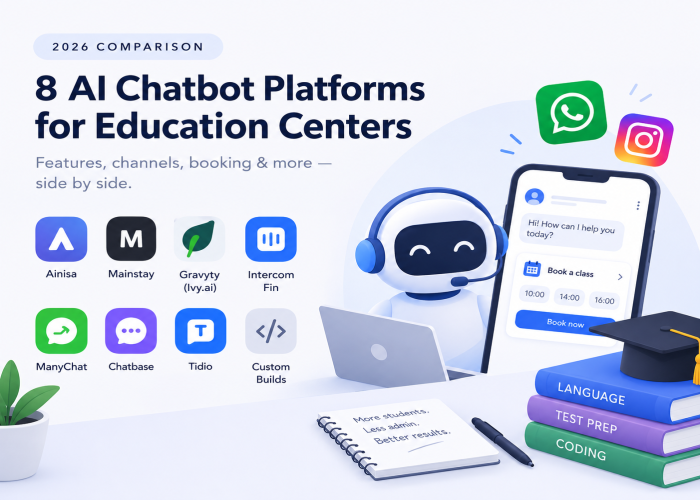
- 8 Best AI Chatbots for Education Centers & Academies in 2026 — Comparison Guide — head-to-head comparison of the 8 platforms education centers evaluate for this exact use case
- How to Set Up a WhatsApp Chatbot for Your Business in 2026 (Step-by-Step) — the general WhatsApp setup foundation
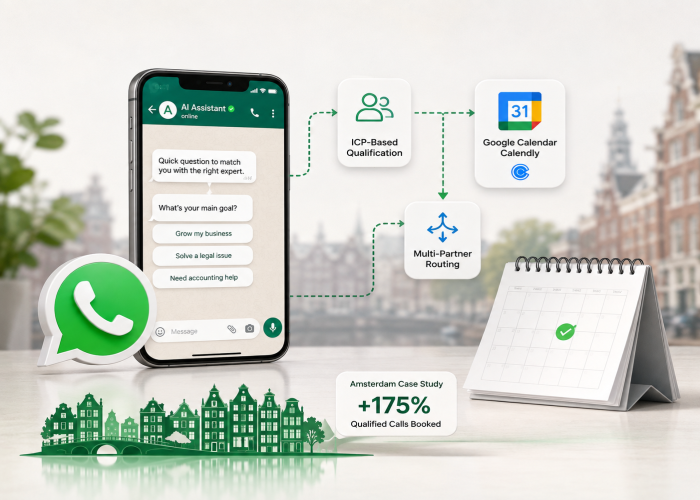
- How Consulting Firms Set Up WhatsApp Lead Qualification That Actually Fills the Calendar (2026 Guide) — the same qualify-and-book pattern in an adjacent vertical
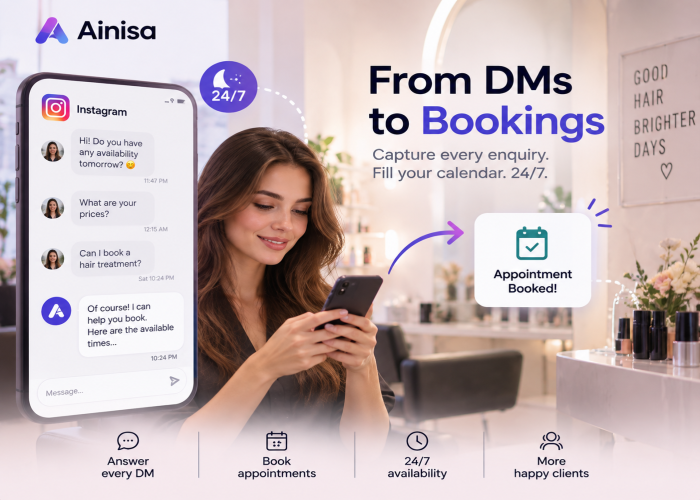
- How Beauty Salons Set Up Instagram DM Automation That Actually Books Clients (2026 Guide) — Instagram booking patterns that apply to academies too
- 8 Best AI Chatbots for Consulting & Professional Services in 2026 — Comparison Guide
- WhatsApp Chatbot for Dental Clinics: 2026 Setup Guide — similar setup pattern in a booking-heavy vertical
- 8 Best AI Chatbots for Beauty Salons & Spas in 2026
- 7 Best AI Chatbots for Restaurants in 2026 — Compared
Ainisa also powers AI agents for adjacent verticals:
- 🩺 Medical Clinics — appointments, patient intake, procedure Q&A
- 🦷 Dental Clinics — bookings, insurance intake, patient media handling
- 💇 Beauty Salons & Spas — bookings, service menu, price list
- 🍽️ Restaurants — reservations, menu Q&A, food orders
- 💼 Consulting & Professional Services — lead qualification, discovery calls, client onboarding