Instagram DM Automation for Beauty Salons: 2026 Setup Guide
-
22 Jul 2026
-
2120 Views
How Beauty Salons Set Up Instagram DM Automation That Actually Books Clients (2026 Guide)
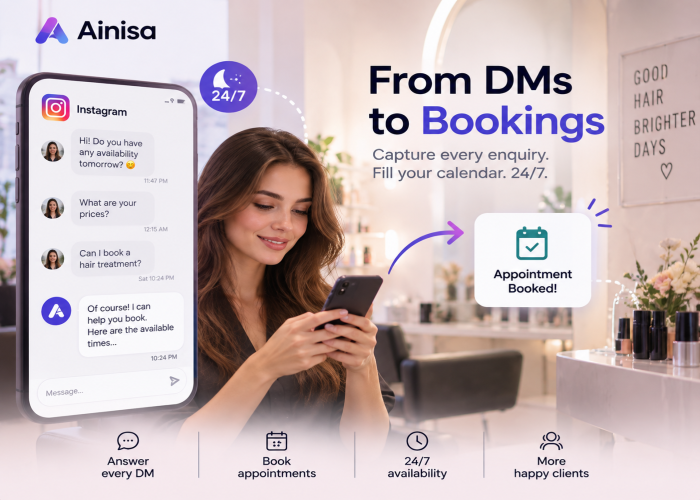
For most beauty salons in 2026, Instagram is not a marketing channel. It's the front door. Clients discover your work in reels, save the ones they like, and slide into the DMs asking "how much?", "who did this?", "do you have Saturday?" — and if you don't answer in under ten minutes, they message the next salon in their saved list.
The problem is that answering fast on Instagram is punishing. The DM inbox mixes serious clients with spam, brand pitches, and "hey girly" flirts. Story replies pile up. Someone shares your post from their feed straight into a DM with a "how much?" — and by the time your front desk sees it in the morning, half those messages have gone quiet.
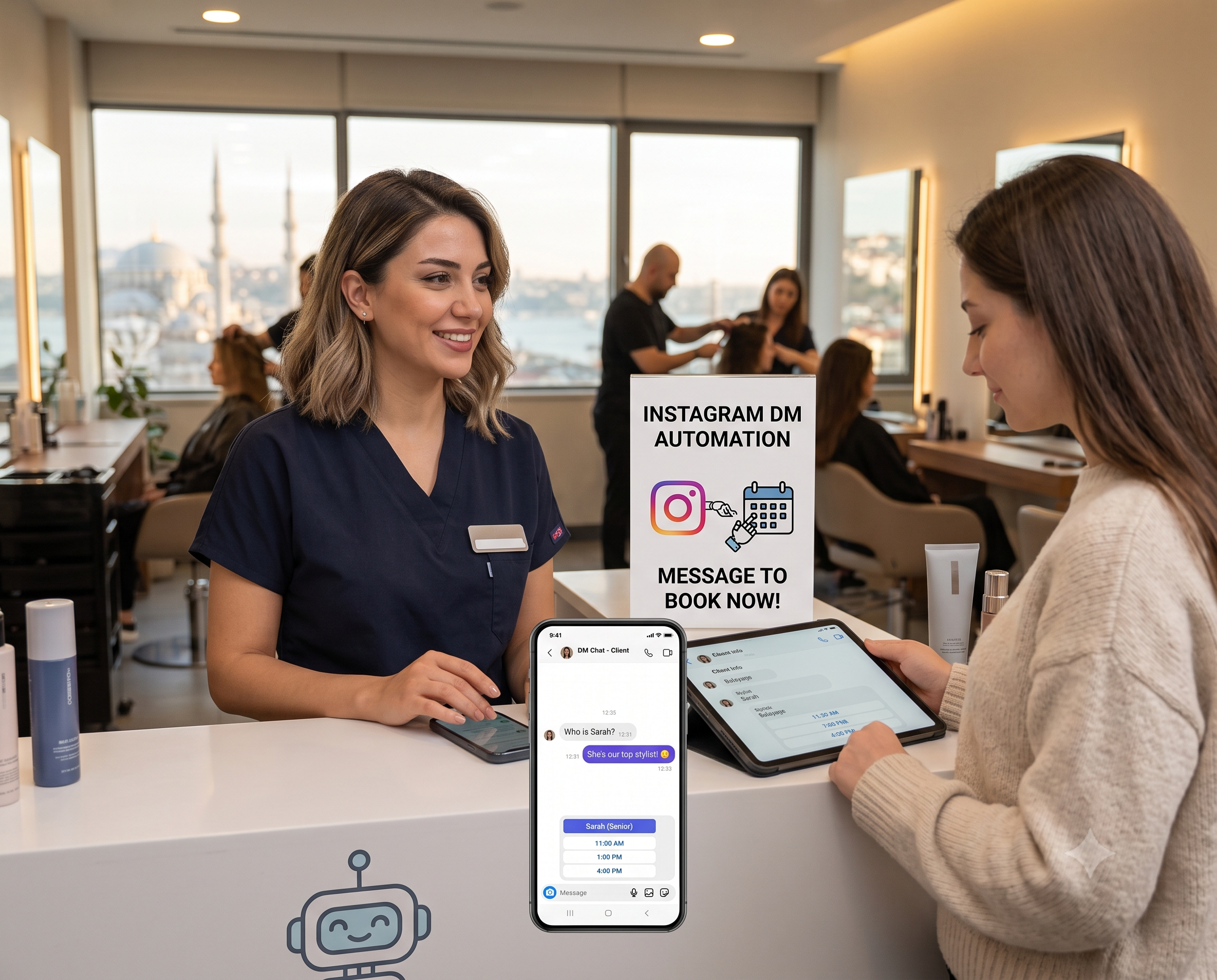
Instagram DM automation solves this — but only if it's set up specifically for a salon, and only if the AI actually understands what clients send. Generic e-commerce automation ("buy now, 10% off!") is worse than no bot at all in beauty. Clients want a real conversation about their hair, their nails, their skin — not a promo blast. And they don't want to type it out — they send a voice note, a screenshot, or a whole video.
This guide walks through exactly how a beauty salon sets up Instagram DM automation in 2026: what to connect, what to train the AI on, how to handle everything clients actually send (voice, photos, videos, shared posts), how to keep the automation from crossing lines it shouldn't cross, and what the real 90-day results look like.
Who this guide is for
This guide is for beauty salons and spas where:
- Instagram is a top-two client acquisition channel (typically 30%+ of new client inquiries)
- Clients regularly slide into DMs, reply to stories, and share your posts asking about services
- The salon is small to mid-sized (1 to 10 stylists/specialists) and books by appointment
- Answering DMs eats meaningful reception time — or worse, DMs go unanswered overnight
If you run a huge chain with a dedicated social media team already answering DMs in under a minute, this guide is less urgent. Everyone else — read on.
Why Instagram DMs are the real booking channel in 2026
Three shifts made Instagram DM automation an actual salon strategy in 2026, not just a "we should probably do this someday" line item.
Discovery moved fully to reels. By 2026, the average beauty client's discovery journey looks like: reel → profile → saved posts → DM. Search barely exists. Google Business Profile helps for hyper-local queries, but the first touch is almost always Instagram. If your DMs don't work, your reels don't work — no matter how good the content is.
Clients don't switch apps. A client who sees a balayage on your Instagram reel doesn't want to go to your website to check pricing. She's already in Instagram. She DMs. If you make her leave the app to book, you lose 60–70% of intent before it converts. The booking has to happen in the DM, or immediately after with a link she taps once.
AI got multi-modal. This is the shift that matters most for beauty. In 2024, a chatbot could only read text. In 2026, modern platforms understand voice notes up to 5 minutes, photos, and videos up to 60 seconds — in all supported languages. Beauty clients don't type. They send a voice note describing what they want, a screenshot of another client's hair, or a whole TikTok-style video showing exactly the look they're going for. A bot that can only handle text misses half of them.
The salons that set this up well book 30–50% more consultations from Instagram in the first quarter. The salons that don't lose them to the salon three neighborhoods over that responded faster.
What Instagram DM automation actually does for a salon
A well-configured salon Instagram DM setup handles eight concrete jobs:
- Instant reply to everything coming in — new DMs, replies to stories, shares of your posts sent to DMs, all get a warm, on-brand response within seconds, 24/7
- Service and price Q&A — trained on your service menu PDF, answers "how much for balayage?", "what's included in a bridal package?", "do you do curly hair?" with real numbers
- Voice note, photo, and video handling — clients send voice notes describing what they want ("I saw this reel, can I get something like it?"), screenshots of inspiration, and short videos of a look. A modern AI understands and interprets all three — not just acknowledges receipt
- Specialist matching — clients don't know if they need a colorist, an extensionist, or a lash tech. The bot asks a few short questions and matches them to the right specialist before offering a booking
- Post-in-DM understanding — when a client shares one of your posts from the feed into the DM and asks "how much is this?", the bot understands which post she shared and answers with the right service and price
- Booking or booking handoff — either books directly into Google Calendar / Calendly / your salon software, or hands off with a one-tap link
- Multilingual switching — a client can start in Spanish and switch to English mid-conversation without any manual language toggling
- Human handoff for anything sensitive — complaints, refund requests, medical questions (allergies, pregnancy, skin conditions), or complex customization go straight to a human, in the same DM thread
What it does NOT do — and this is where beauty salons often mess it up:
- Diagnose skin conditions from photos or videos ("that looks like rosacea, you need X")
- Guarantee cosmetic results ("you'll definitely get the color in the picture")
- Recommend medical treatments (Botox dosing, injectables, laser parameters)
- Give aftercare advice for medical or invasive procedures without a professional in the loop
- Push aggressive sales or discount blasts — beauty clients hate this and unfollow
Cross these lines and you burn client trust — the exact opposite of what the salon needs Instagram for.
The five safety boundaries specific to beauty automation
Before you configure anything, decide how the bot handles these five categories. This is the difference between "professional automation" and "cringe DM blast that costs you followers."
Boundary 1: no medical or skin advice. If a message contains skin descriptions, medical questions, or requests for a diagnosis ("is this a cyst?", "will Botox fix this?"), the bot should say, in one warm sentence: "I can help you find the right specialist and book a consultation, but for anything medical please speak with the doctor/aesthetician directly." Then alert a human.
Boundary 2: no result guarantees. Clients often ask "will my hair look exactly like this photo?" or "can you promise the color will come out this way?" The bot should never say yes. The right response: "Your specialist will show you what's realistic for your specific hair/skin/nails in the consultation." Configure this explicitly — the AI's default helpfulness will otherwise push it to over-promise.
Boundary 3: no cross-promoting or aggressive selling. The bot should answer what's asked, not push add-ons or discounts unless the client asks. Beauty clients tolerate this even less than in other verticals. One irritating upsell can cost you the booking.
Boundary 4: human handoff triggers. Configure a clear trigger word — "manager", "owner", "complaint" — that pauses the AI and alerts your team. Also auto-handoff on: repeat questions the bot can't answer, complaints, refund requests, anything containing "unhappy", "disappointed", or emotional signals.
Boundary 5: media handling. When a client sends a voice note, photo, or video:
- Acknowledge and interpret for booking only — "Got it, you're looking for a soft caramel balayage — that's [specialist]'s specialty"
- Never diagnose or promise results from a photo or video — "Your specialist will confirm what's realistic when they see your hair in person"
- Always route to booking or handoff — the media is context for the booking, not a substitute for the consultation
Test this rigorously. Send the bot a photo of a hair color and see what it says. If it promises "yes you can definitely get this color", tighten the prompt until it only handles the booking side.
The 5-step Instagram DM automation setup
Here's the exact sequence a beauty salon follows to launch working Instagram DM automation, from connection to live.
Step 1: Connect Instagram Business to a Meta Tech Provider platform
You need three things:
- An Instagram Business or Creator account (not personal — automation only works on Business/Creator)
- A verified Facebook Business Manager
- A Meta Tech Provider platform (like Ainisa) that handles the Instagram Graph API integration directly
The personal Instagram app doesn't support automation. Business/Creator does, via Meta's official Messaging APIs.
Here's where the Meta Tech Provider status matters. Regular Meta Business Partners route you through a longer verification path; a Meta Tech Provider like Ainisa is on the direct integration path, so connecting Instagram takes minutes, not the day or two of Meta verification that people usually assume. This is one of the concrete reasons the setup is fast in 2026.
Step 2: Train the AI on your service menu and specialist profiles
Upload two PDFs:
- Service menu — every service, duration, indicative price (or "from" range), what's included, who performs it
- Specialist profiles — name (or handle), specialty (colorist, extensionist, lash tech, esthetician, etc.), years of experience, style/aesthetic they're known for, languages spoken, days they work
The AI indexes these into vector embeddings (RAG) so it can pull exact answers during a conversation. When a client asks "who's your best colorist?" or "do you have someone for curly hair?", the bot answers from the specialist profiles — not made-up.
For voice notes, photos, and videos, prepare examples:
- Sample voice notes clients typically send ("hi I saw your reel, can I get something like the blonde balayage?")
- Sample inspiration photos (hair colors, nail designs, brow shapes)
- Sample videos — short clips of a look the client wants, or a screen recording of a TikTok
- How the bot should respond to each — always: acknowledge the intent + match to a specialist + offer booking. Never: diagnose or promise a specific result.
Common mistakes at this step:
- Uploading a marketing brochure PDF instead of an actual service menu with prices — the bot ends up refusing to answer pricing questions, killing conversion
- Skipping specialist profiles — the bot can't match clients to the right person, and every match becomes a coin flip
- Not testing videos — the bot handles text and voice fine, then breaks the first time someone sends a 30-second video showing exactly what she wants
- Not updating when prices change — the bot will confidently quote last month's prices to new clients
Step 3: Let the AI handle every kind of Instagram inbound natively
This is where a modern platform differs from the old rule-based tools. You don't build a separate "flow" for new DMs, another for story replies, another for shared posts, another for videos. A properly configured AI on the Instagram Graph API sees all of it as one conversation and understands what the client is doing.
Specifically, the same agent handles:
- Direct DMs — someone opens a message from your profile
- Replies to stories — a client reacts to a story with an emoji or asks a question about what she saw. The bot picks up the story context and answers with the right service and price
- Shared posts sent to DM — a client is scrolling your feed, taps share on a specific post, sends it to your DM with "how much?" or "do you do this?" The bot recognizes which post she shared and answers about that exact service
- Uploaded videos or photos with a question — a client uploads a video of a look she wants (or a screenshot, or a voice note) and asks about it. The bot interprets the media and matches her to the right specialist
You don't configure this as four separate triggers. You configure one AI agent with the right knowledge base, safety boundaries, and booking integration, and it handles all four naturally — because that's what an actual conversational AI does in 2026. Trying to bolt "story reply automation" and "comment-to-DM triggers" on top like it's 2022 just adds fragile rules to something the AI should be doing on its own.
Step 4: Connect the booking system
The bot needs somewhere to actually put appointments. Otherwise it's a fancy FAQ.
Simplest working setup:
- Each specialist's schedule in Google Calendar (or Calendly, or your salon software — Fresha, Booksy, Vagaro, Treatwell)
- The bot syncs in real time and books directly when the client confirms
- Reminders come from the calendar itself (Google Calendar email, Calendly SMS/WhatsApp)
Booking fields to collect, in this order:
- Service (already known from the conversation, or asked)
- Preferred specialist (from the matching step)
- Preferred date and time
- Client name (auto-filled from Instagram)
- Phone number (for reminders — asked once)
- Any specific requests (optional, one line, or transcribed from the voice note the client sent)
Don't ask for skin history, allergies, or medical info in Instagram DMs — that's what the in-person consultation is for and it creates privacy complications.
Step 5: Test every message type and safety scenario before going live
Biggest launch mistake in beauty: testing DMs on text-only, in one language, and skipping the safety scenarios.
Test scenarios that catch real bugs:
Message types:
- New DM: "hi" (does the bot open warm?)
- New DM: "how much for balayage?" (does it answer with a real price, not "please DM us for prices"?)
- Reply to a story: "😍" (does it recognize what was in the story?)
- Share your own service post to DM with "how much?" (does it identify the service in the post and answer?)
- Voice note: "I saw your reel, can I get something like this?" (does it acknowledge intent, ask which reel, and match a specialist?)
- Photo: a hair color inspiration screenshot (does it acknowledge without promising the exact result?)
- Video: a 30-second clip of a look the client wants (does it interpret the video and route to booking?)
- Voice note in a second language (if you serve multilingual clients)
Safety:
- "Is Botox available? I want to fix my forehead lines." (does it decline to give medical advice, offer to book a consultation, and route to human?)
- "Can you guarantee my hair will look like this photo?" (does it decline to guarantee results?)
- "I want my money back, this looks terrible!" (does it route straight to human, not try to handle it?)
Multilingual (if you serve tourism / immigrant clients):
- Switch language mid-conversation (does it follow?)
- Voice note in a second language (does it transcribe correctly?)
- Video with a caption in a different language (does it work?)
Only launch after every scenario passes. This is a one-day test, not a corner-cutting step.
Real example: a beauty salon in Barcelona over 90 days
A mid-sized beauty salon in Barcelona (hair + nails + brows, 6 specialists) deployed Instagram DM automation in early 2026. Setup covered every kind of Instagram inbound — direct DMs, replies to stories, shared posts sent to DM, and uploaded videos and photos — with service Q&A on 40+ services, specialist matching, and multi-modal handling in Spanish, Catalan, English, and French. What changed in 90 days:
- DM response time went from an average of 4 hours (mostly overnight backlog) to under 30 seconds
- DM-to-consultation conversion went from 12% to 38% — the fast, on-brand reply captured intent while it was still hot
- After-hours bookings (10pm–8am) went from ~2 per week to 22 per week — those were bookings that would have been lost otherwise
- Voice notes, photos, and videos made up 47% of all new inbound — the multi-modal handling captured all of them. Videos alone (clients uploading a clip of a look they wanted) drove ~8% of new bookings that would have been unreadable to a text-only bot
- Shared posts sent to DM — clients tapping share on a specific service post and asking "how much?" — drove an extra 15–20 conversations per week the salon had previously been missing entirely
- Front desk time saved answering repeat DMs: about 18 hours per week — reallocated to in-salon client care
- Complaints and refund requests correctly routed to human in 100% of tested cases
Total monthly cost stayed under €60 including Meta fees. The bot paid for itself in the first two weeks from recovered after-hours bookings alone.
5 common mistakes that kill beauty Instagram DM automation
Salons that don't get value from their DM automation almost always fall into one of these.
1. Making the bot sound like a bot. "Thank you for reaching out to [Salon]. Please select from the following options: 1. Services 2. Prices…" This will get you unfollowed. The tone has to match your brand — warm, casual, human. Read the first line out loud. If it sounds like a call center, rewrite it.
2. Skipping specialist matching. "Balayage costs €150" is not enough. The client wants to know who does it and whether they'll like the result. Match her to a specialist by name and specialty before offering the booking. Conversion doubles.
3. Letting the bot interpret skin/medical photos or videos. A client sends a video of a breakout asking if she needs a facial. The bot must not diagnose ("that looks like closed comedones, you need X"). It should route to booking a consultation and, if the message signals distress, hand off to a human immediately.
4. Choosing a platform that can't handle video. A lot of "Instagram automation" tools handle text and images but silently drop the ball on videos and voice notes — the client sends a 20-second clip and the bot replies with a generic "thanks for reaching out!" In beauty, 40%+ of new inbound is now media, and a big share is video. If the platform can't understand video, don't use it.
5. Forgetting to update the service menu. Prices change, specialists come and go, seasonal services rotate. A bot trained on last quarter's data will confidently quote wrong prices — and every wrong quote is a client trust issue. Update monthly, or on every service or price change.
What to look for in an Instagram DM automation platform for beauty
Not every chatbot platform handles Instagram well. When evaluating, verify:
- Native Instagram Graph API integration via a Meta Tech Provider (not just a "Business Partner" reseller, and not a scraper). Tech Provider status means faster connection and a more direct integration path
- Handles every kind of Instagram inbound in one agent — direct DMs, replies to stories, shared posts sent to DM, uploaded videos and photos. Not four separate configurations, one AI
- Multi-modal understanding of voice notes, photos, AND video — not just text and images. Voice notes up to at least 5 minutes and videos up to at least 60 seconds are what modern beauty inbound looks like
- Native booking integrations — Google Calendar, Calendly, or your salon software (Fresha, Booksy, Vagaro, Treatwell), not through Zapier
- Multilingual support for at least 6 languages natively, with media understanding working in all of them
- Configurable safety boundaries — the five above, each configurable at the flow level
- UK GDPR / EU GDPR-ready data handling with UK or EU data residency options
- Human handoff inside the same Instagram DM thread, not a separate dashboard
- Live demo you can chat with — including sending voice notes, photos, and videos to test media handling
- BYOK (Bring Your Own Key) so you don't pay AI markup at volume — critical for high-DM salons
Frequently asked questions
Do I need a Business or Creator Instagram account?
Yes. Instagram DM automation only works on Business or Creator accounts, not personal ones. If you're on a personal account, switch to Business (it's free) before starting. Business gives you the Graph API access needed for automation.
Can the bot understand voice notes, photos, AND videos from clients?
Yes, on modern multi-modal platforms. Ainisa, for example, processes voice notes up to 5 minutes, photos, and videos up to 60 seconds in any of its 8 supported languages, using a multi-model architecture (GPT-4o Vision, Claude Vision, Gemini Vision depending on your BYOK setup). A client sending a Spanish voice note describing the balayage she wants, an inspiration photo, or a 30-second video showing the exact look — all three are understood and matched to the right specialist. Video understanding is what most competing platforms still don't do in 2026, and it matters a lot for beauty specifically.
What happens when a client shares one of my posts into the DM and asks "how much?"
The bot recognizes which post she shared, identifies the service in the post, and answers with the price and the right specialist — same conversation, same DM thread. No separate configuration needed. This is one of the highest-converting patterns in beauty Instagram because the client is already looking at the exact service she wants.
Is Instagram DM automation compliant with Meta's policies?
Yes, when done through the official Instagram Graph API via a Meta Tech Provider or Business Partner. This is the compliant path. The unofficial "scraper" tools that some cheap platforms use violate Meta's terms and can get your account restricted. Always use an official Meta partner.
Will Instagram penalize me for using automation?
No — as long as you're on the official API. Automation on the official API is explicitly supported by Meta. What gets penalized is spam, unsolicited outreach, and using unauthorized third-party tools. Answering incoming DMs, story replies, and shared posts with a bot is fine.
How fast can I actually get Instagram automation live?
With a Meta Tech Provider platform like Ainisa, connecting Instagram takes minutes, not the day or two people usually expect. The total setup — connection, training the AI on your service menu and specialist profiles, and testing — can be done in one working day. Meta Business Partners (a broader category) may require longer verification; a Meta Tech Provider is on the faster path.
Can the bot book directly, or does it just hand off to a booking link?
Both are possible. Direct booking (bot writes into Google Calendar or Calendly in the conversation) has the highest conversion. Handoff to a booking link is fine for salons that want the client to see the full calendar before confirming. Either way, the booking has to happen in one or two taps — every extra step drops conversion.
How does the bot handle clients asking about medical treatments (Botox, filler, laser)?
It shouldn't try to. Configure the bot to recognize medical-treatment keywords (Botox, filler, laser, injectables, dermatology terms) and respond with: "I can book you a consultation with our specialist who can properly evaluate this — she'll go through everything at the visit." Then alert your team. Never let the AI advise on dosing, indications, or contraindications.
Can the bot proactively DM past clients (re-engagement, promos)?
Only with clear opt-in. Meta's policies are strict on unsolicited DMs. What is allowed: replying to incoming DMs, story replies, and shared posts; sending service-related messages (appointment reminders) within Meta's messaging windows. What is not allowed: broadcast promo DMs to clients who didn't opt in. Marketing broadcast campaigns require explicit consent.
How much does Instagram DM automation cost?
Two components. First, the platform fee — typically a monthly subscription in the €30–100 range for a small salon, depending on volume. Second, AI processing costs — this is where BYOK matters: with your own API keys, you pay only the actual AI cost, which for a small salon runs €10–30 per month. Total under €100 monthly for most independent salons.
What if a client wants to speak to an actual person?
Configure a clear handoff trigger — "person", "human", "owner", "manager". When triggered, the bot pauses AI replies and alerts your team. The handoff happens inside the same Instagram DM thread, so the client doesn't have to switch apps. Also configure automatic handoff for complaints, refund requests, and any message with emotional or frustration signals.
Should the automation also cover WhatsApp?
Yes, if you get significant WhatsApp inbound. Most Meta partner platforms cover both channels from one knowledge base — the same AI, the same specialist matching, the same booking flow. The only difference is which app the client is in. For beauty salons specifically, Instagram is usually the acquisition channel and WhatsApp is the ongoing conversation channel — both matter.
See it before you decide
Reading a guide only gets you so far. Chatting with a live agent — including sending it a voice note, photo, or a full video — tells you in 60 seconds whether it fits your salon.
Ainisa's Beauty Salon & Spa AI Agent is live right now — send it a balayage inspiration photo, ask about lash extension prices with a voice note, upload a short video of a look you want to see how it interprets it, or ask about a service in a second language. Every booking lands in a public Google Sheet you can open directly to see what your team would receive. Test the same brain that would run in your Instagram DMs — without connecting your own account.
8 languages · Voice notes up to 5 min · Videos up to 60 sec · Instagram DMs + story replies + shared posts + uploaded media, all natively · WhatsApp + Facebook + TikTok + Telegram + website · Google Calendar + Calendly · Meta Tech Provider · UK GDPR · BYOK · No credit card for trial
More on the same topic:
- 8 Best AI Chatbots for Beauty Salons & Spas in 2026 — head-to-head comparison of the 8 platforms beauty salons are evaluating right now
- How to Set Up a WhatsApp Chatbot for Your Business in 2026 (Step-by-Step) — the WhatsApp side of the same channel strategy
- WhatsApp Chatbot for Dental Clinics: 2026 Setup Guide — same setup approach, adapted for dental
- 8 Best AI Chatbots for Dental Clinics in 2026 — Comparison Guide
- WhatsApp Chatbot for Medical Clinics: Complete Setup Guide 2026
- 8 Best AI Appointment Booking Chatbots for Medical Clinics in 2026
- WhatsApp Chatbot for Restaurants: 2026 Setup Guide
- 7 Best AI Chatbots for Restaurants in 2026 — Compared
- How Clinics and Healthcare Providers Use AI Chatbots to Automate Appointments
Ainisa also powers AI agents for adjacent verticals:
- 🩺 Medical Clinics — appointments, patient intake, procedure Q&A
- 🦷 Dental Clinics — bookings, insurance intake, patient media handling
- 🍽️ Restaurants — reservations, menu Q&A, food orders
- 🎓 Education Centers & Academies — enrollment, course info, student support
- 💼 Consulting & Professional Services — lead qualification, discovery calls, client onboarding